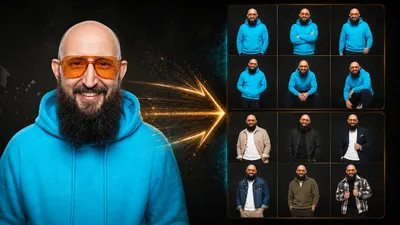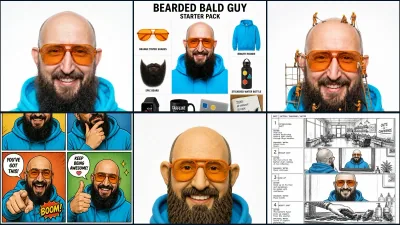
- Ich habe 36 weitere Bildideen wirklich erzeugt: 32 mit demselben Porträt und vier mit derselben Kamera.
- 32 PASS, 4 TEILWEISE, kein FAIL: Die meisten Ergebnisse sind sofort brauchbar.
- Diesmal kopierst du den vollständigen getesteten Prompt, nicht bloß einen hübschen Slash-Namen.
- Besonders stark sind Materialporträts, Produktionsraster, Raw-Camera-Looks und Maker-Motive.
- Alle 36 Prompts findest du zusätzlich in der kostenlosen Library und im neuen PDF.
Was passiert, wenn aus einem normalen Porträt ein Fadenbild, ein Drohnenschwarm, eine Leiterplatte oder ein Hologramm werden soll? Ich habe 36 neue Ideen am selben Ausgangsbild getestet. Hier siehst du jeden Prompt, das echte Ergebnis und die Stellen, an denen die KI eben doch geschummelt hat.
Alle 147 getesteten Prompts durchsuchen · Part-3-PDF herunterladen
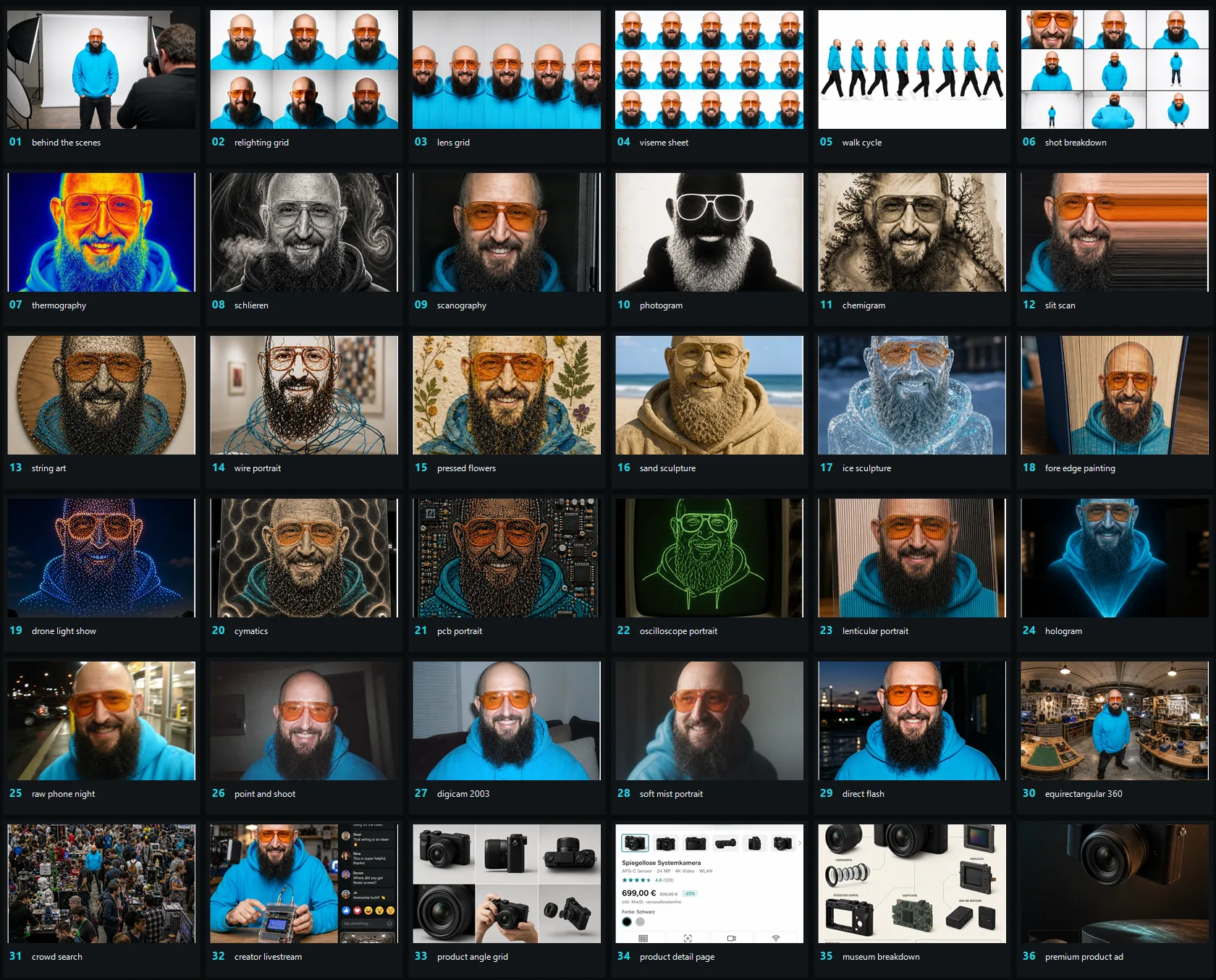
Diesmal sind es echte Prompts, keine Zauberwörter
Die ersten 50 Bildprompts und Part 2 drehten sich vor allem um extrem kurze Befehle. Ein Wort rein, Bild raus. Das ist schnell und macht Spaß, aber eben auch ziemlich zufällig.
Für diese Runde wollte ich mehr Kontrolle. Die Slash-Namen wie /relightingGrid oder /stringArt sind deshalb nur kurze Merknamen. Der kopierbare Text darunter ist der vollständige Prompt, mit dem die Richtung tatsächlich erzeugt wurde.
Das ist weniger magisch. Dafür kannst du das Ergebnis viel besser nachbauen.
Mein Testaufbau
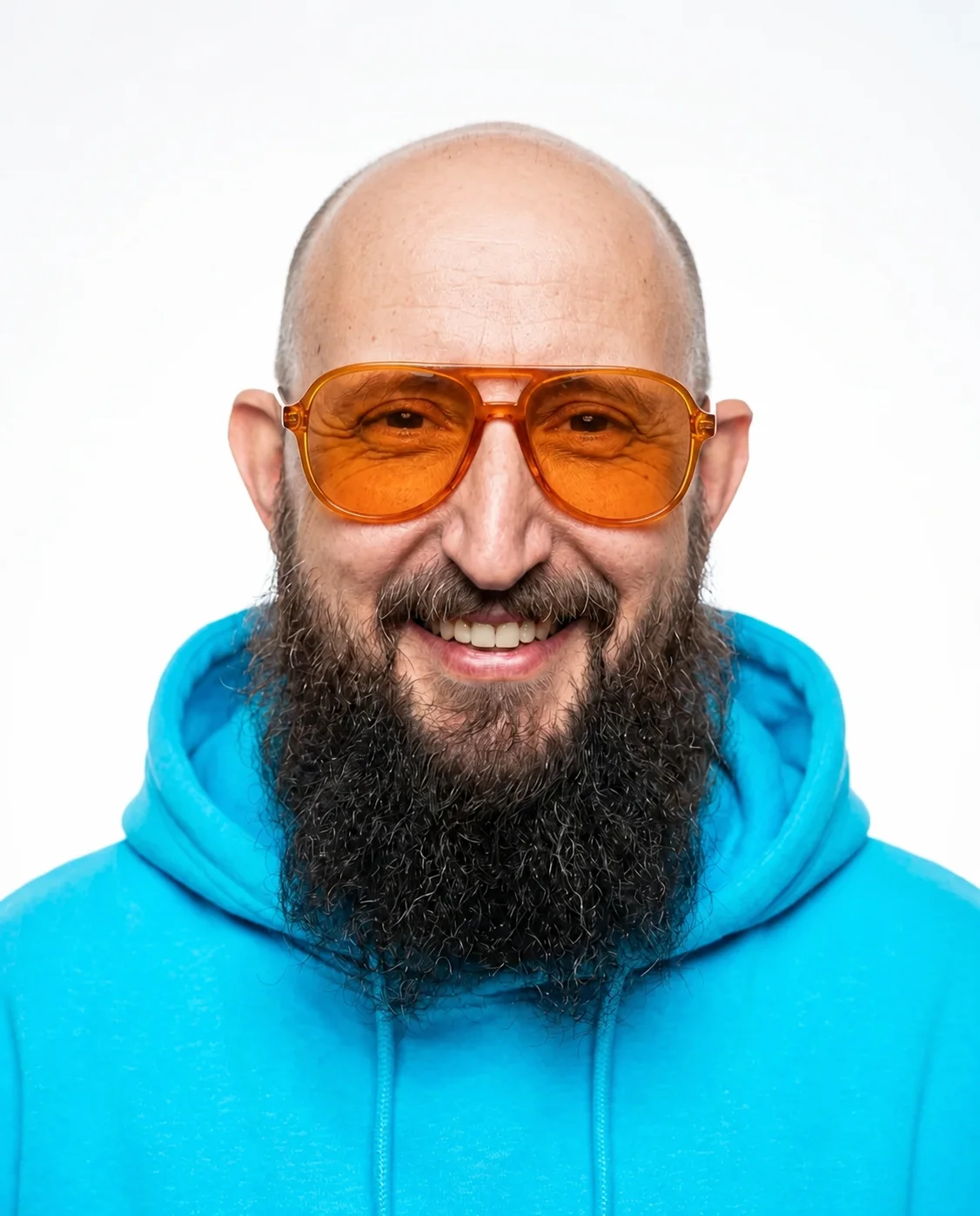
Für 32 Tests habe ich wieder dasselbe bereinigte Ausgangsporträt verwendet. Gesicht, Glatze, langer dunkler Bart, orangefarbene Brille und türkiser Hoodie sind starke Anker. Man erkennt ziemlich schnell, ob die Identität erhalten bleibt.
Die Ergebnisbilder dokumentieren genau diesen Test. Die kopierbaren Vorlagen darunter sind dagegen bewusst allgemein gebaut. Ersetze vor dem Absenden alles in [[DOPPELTEN KLAMMERN]] und lade dein eigenes Referenzbild hoch. Merkmale wie Frisur, Gesichtsbehaarung, Accessoires, Kleidung, Produktfarbe oder Material übernimmt der Prompt aus deiner Referenz, nicht aus meinem Beispiel.
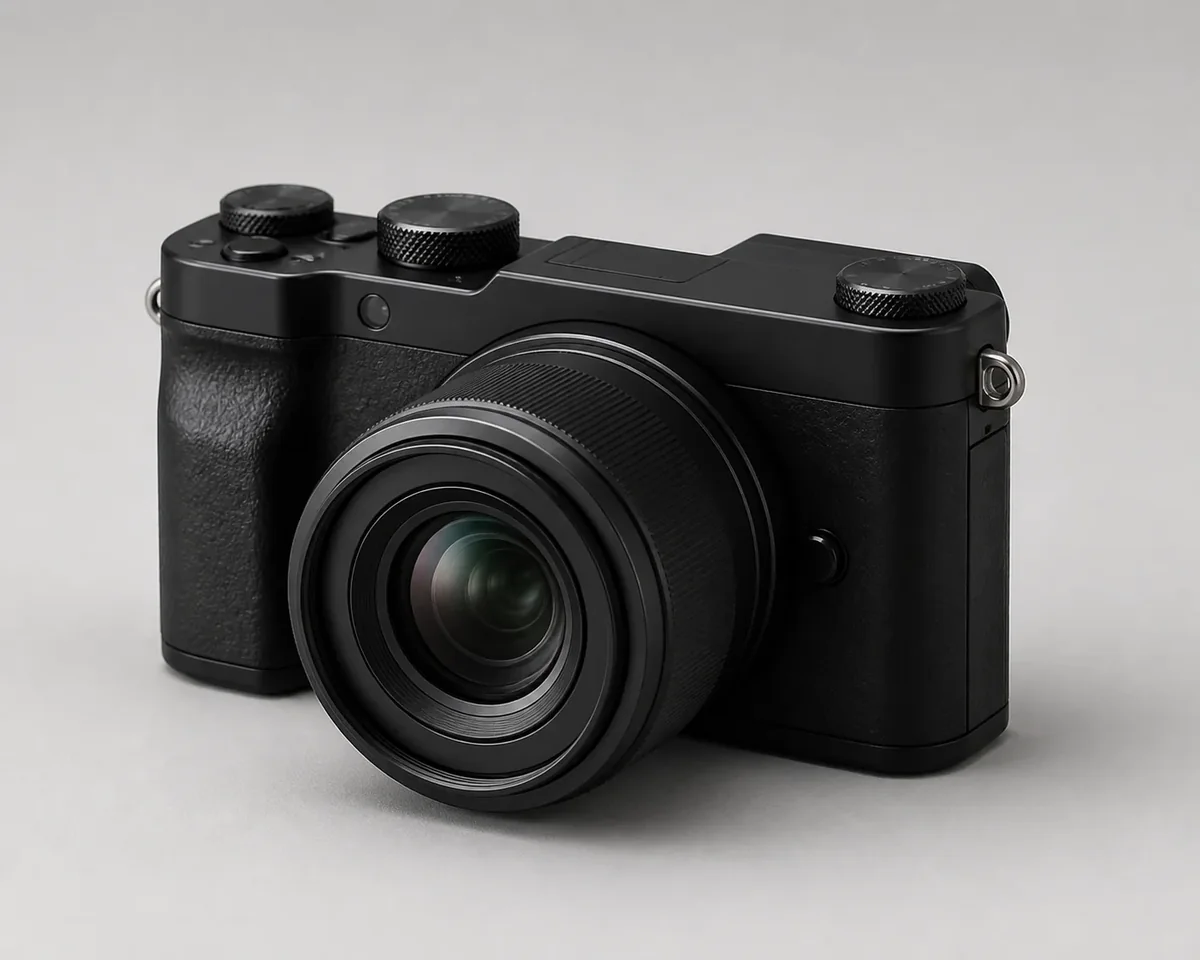
Vier Ideen ergeben mit einem Menschen wenig Sinn. Produktwinkel, Shopseite, technische Zerlegung und Werbemotiv habe ich deshalb an derselben ungebadgeten Systemkamera getestet.
Meine Bewertung ist bewusst simpel:
- PASS: Die Bildidee ist klar erkennbar und praktisch nutzbar.
- TEILWEISE: Das Ergebnis ist brauchbar, aber eine wichtige technische oder visuelle Anforderung fehlt.
- FAIL: Die Kernidee ist nicht zuverlässig erkennbar. Das kam in dieser Runde tatsächlich nicht vor.
1. Kamera, Licht und Produktionsreferenzen
Diese sechs Prompts sind weniger Show und mehr Werkzeug. Sie helfen beim Planen von Licht, Einstellungsgrößen, Animation oder KI-Video.
1. Studio hinter dem Bild: /behindTheScenes
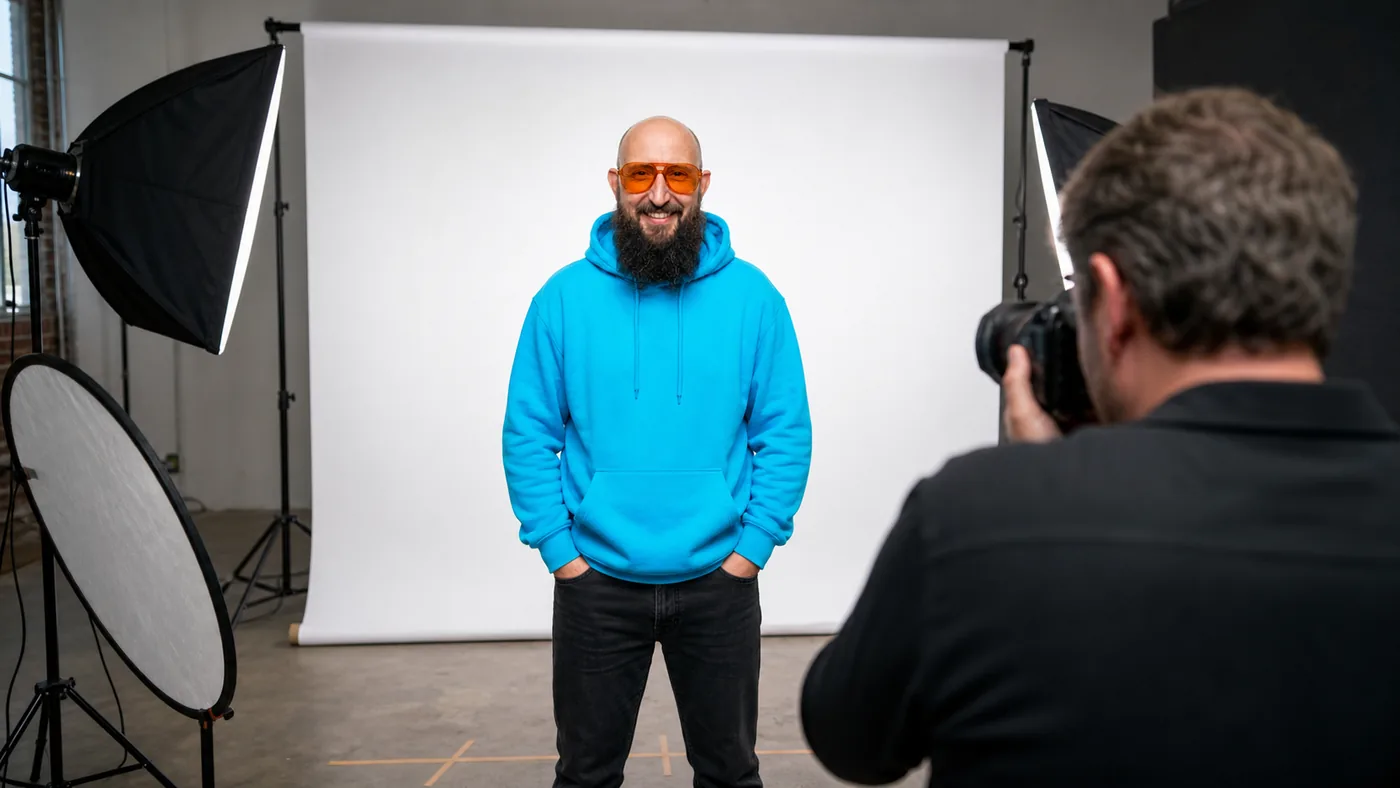
PASS · Nutzen: Making-of-Posts, Kursmaterial, Social Media und Produktionsvisualisierung.
Use the uploaded portrait of [[PERSON IN THE REFERENCE IMAGE]] as the binding reference. Turn it into a realistic behind-the-scenes studio photograph. Show the referenced person full body in front of a white seamless backdrop, with photographer, camera, softboxes, reflector and floor marks visible. Preserve identity, body proportions, hairstyle or head shape, facial hair, eyewear, expression, clothing and original colors. Output ratio: [[ASPECT RATIO, e.g. 4:5]].2. Sechs Lichtstimmungen: /relightingGrid
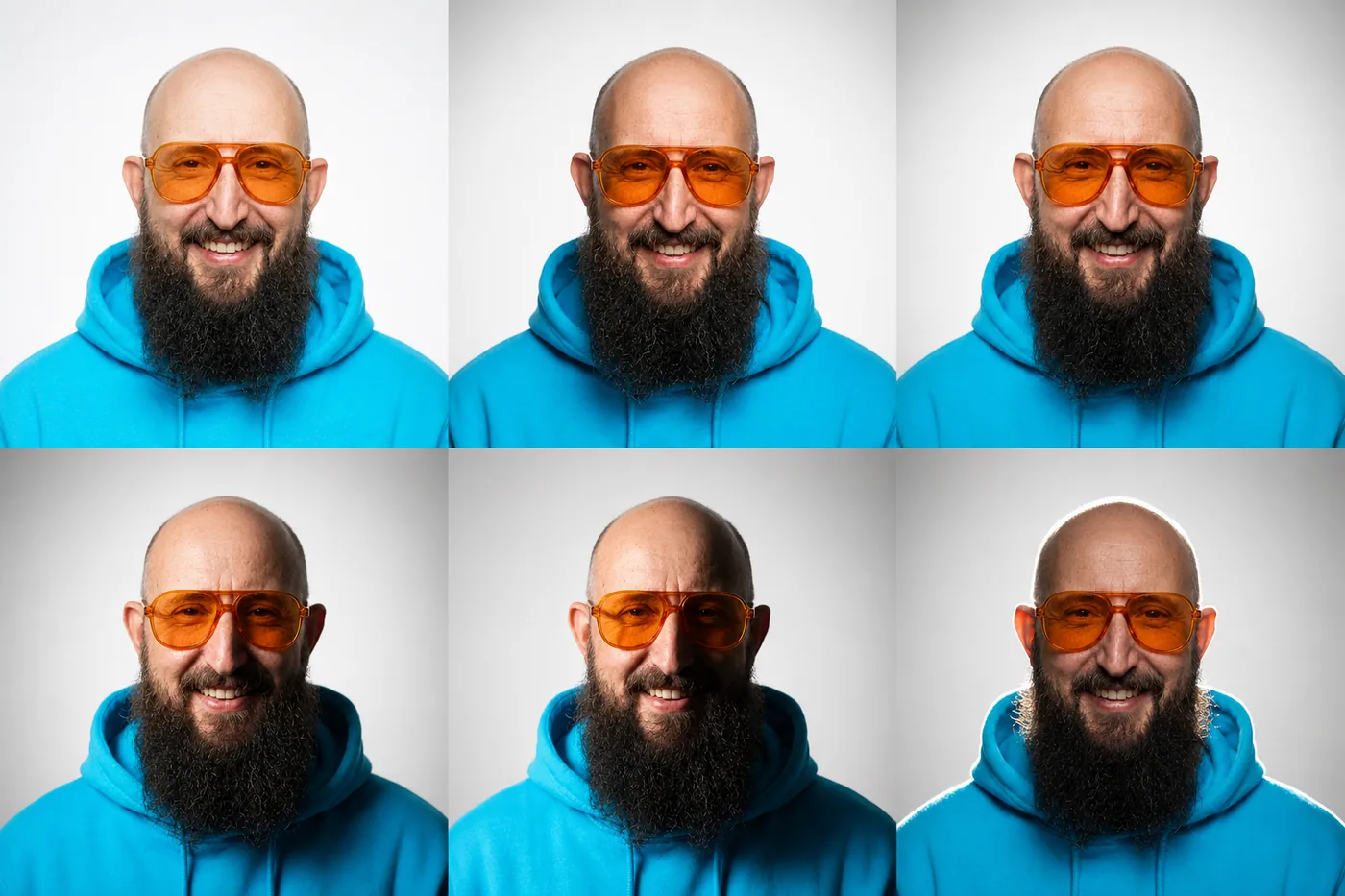
PASS · Nutzen: Lichtplanung, Thumbnail-Look, Fotografie-Erklärung und Mood-Vergleich.
Use the uploaded portrait of [[PERSON IN THE REFERENCE IMAGE]] as the binding reference. Create a clean 2x3 relighting grid. Keep identity, pose, crop, expression, hairstyle, facial hair, accessories, clothing and colors identical. Change only the light: flat front light, soft window light, Rembrandt light, dramatic side light, split light and strong rim light. Do not add labels or redesign the person.3. Brennweitenvergleich: /lensGrid
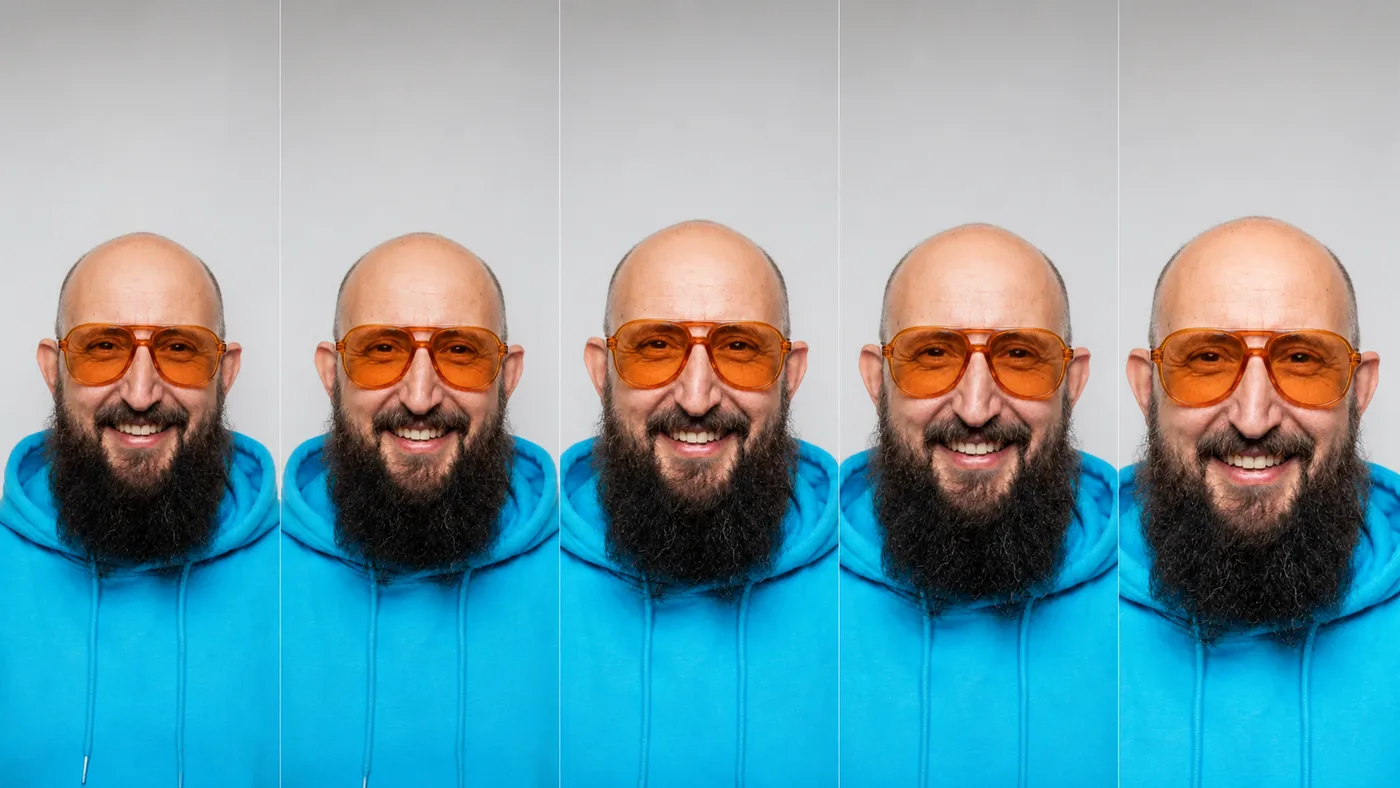
TEILWEISE · Nutzen: Objektivwahl, Portrait-Look und Kamera-Kaufberatung.
Die Staffelung sieht sauber aus. Die Gesichtsperspektive unterscheidet sich aber weniger deutlich als bei einem echten kontrollierten Brennweitentest. Als grobes Moodboard okay. Als optische Lehrtafel wäre mir das zu ungenau.
Use the uploaded portrait of [[PERSON IN THE REFERENCE IMAGE]] as the binding reference. Create a five-panel comparison photographed at 24mm, 35mm, 50mm, 85mm and 135mm. Keep identity, styling and lighting consistent, adjust camera distance to maintain [[FRAMING, e.g. head-and-shoulders]], and make perspective compression clearly visible. No labels or invented facial details.4. Mundformen für Sprache: /visemeSheet
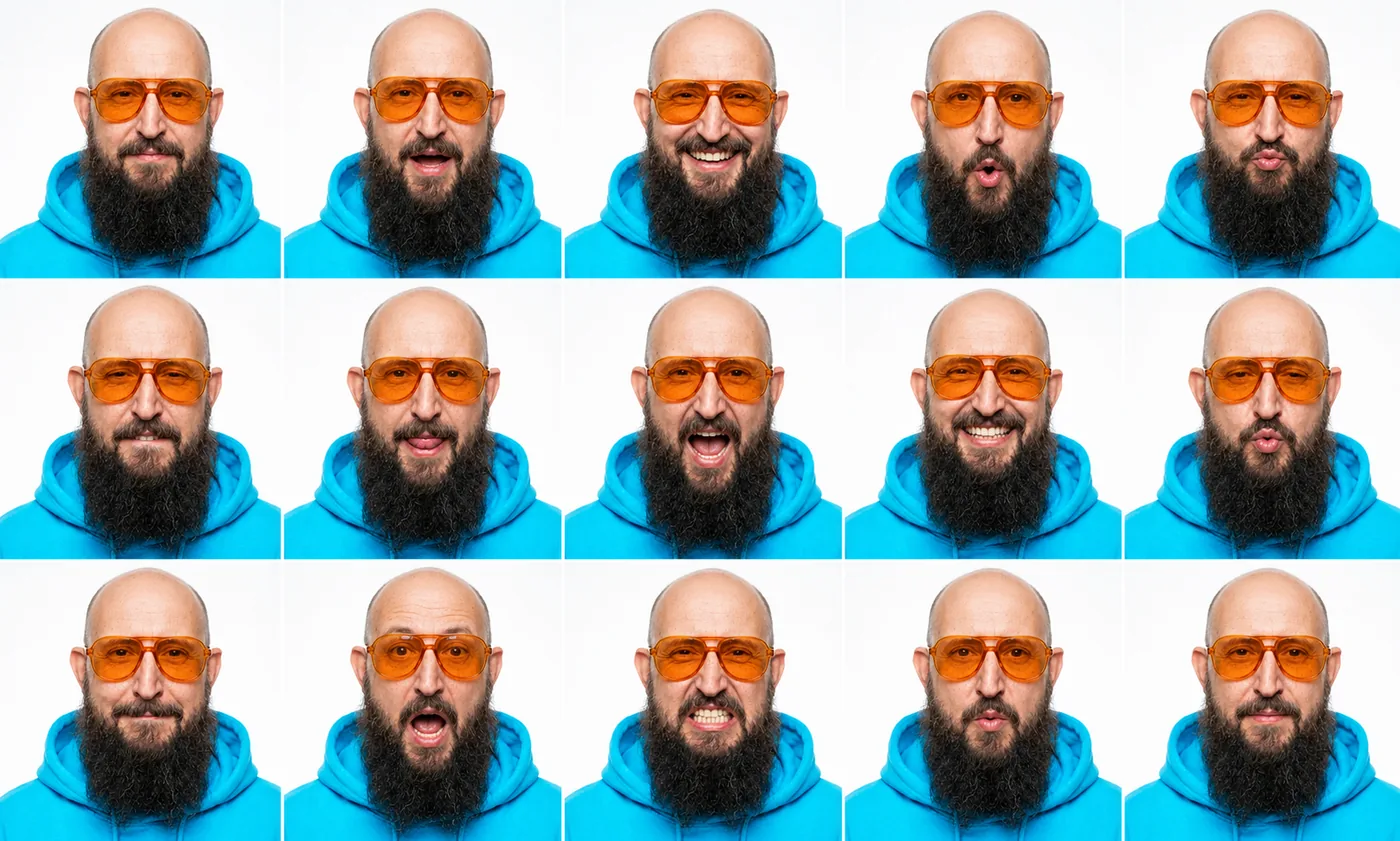
PASS · Nutzen: Lip-Sync, KI-Video, Character Animation und Avatar-Referenz.
Use the uploaded portrait of [[PERSON IN THE REFERENCE IMAGE]] as the binding reference. Create a clean 3x5 viseme sheet. Keep head angle, identity, hairstyle, facial hair, eyewear, accessories, lighting and crop fixed. Show clearly different mouth shapes for silence, A, E, I, O, U, M/B/P, F/V, L, W/Q, wide smile, open jaw and rounded lips. Background: [[BACKGROUND COLOR]]. No labels.5. Gehzyklus: /walkCycle
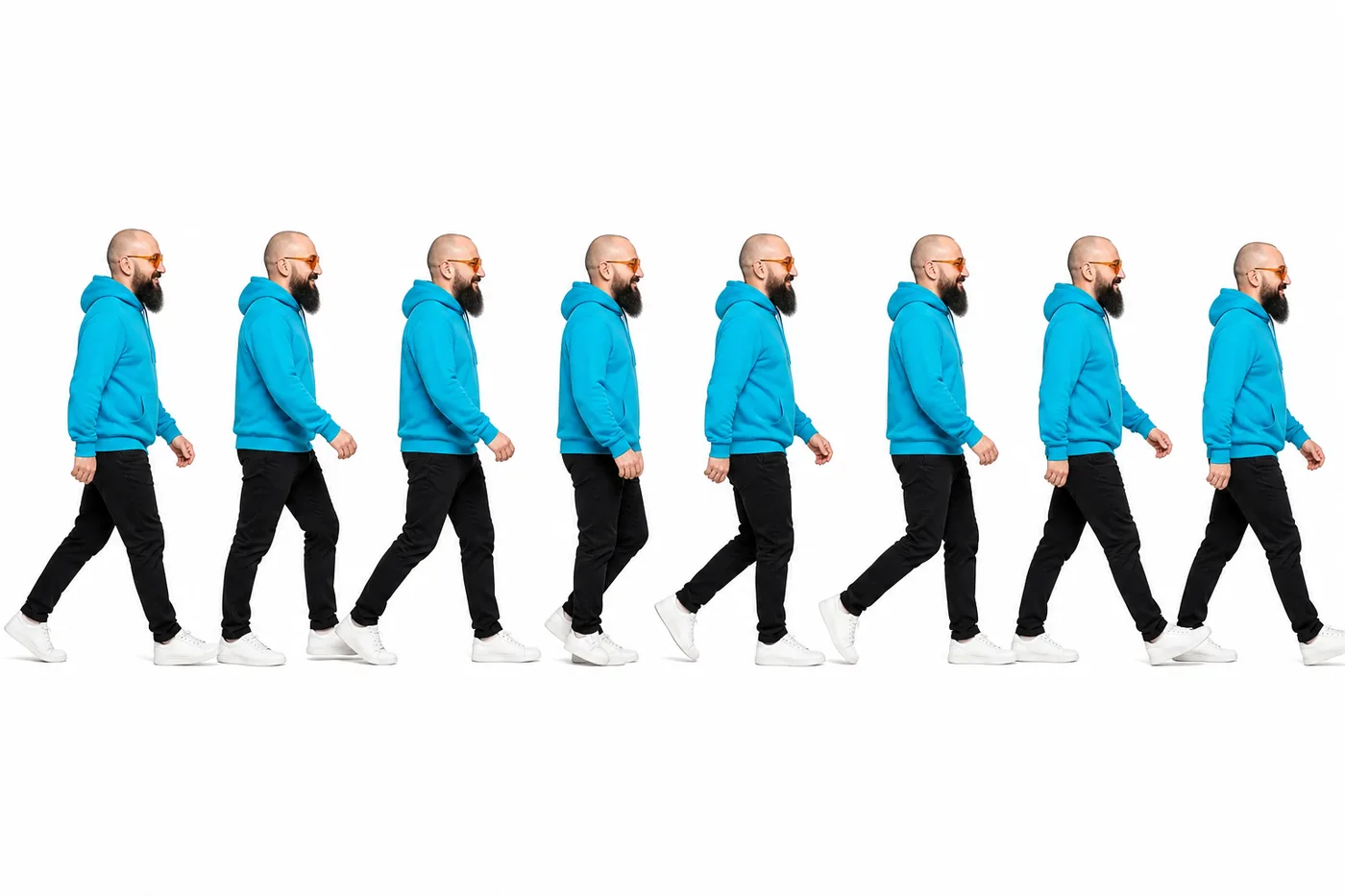
PASS · Nutzen: Animation, Motion Design, Sprite- und Video-Referenz.
Use the uploaded full-body image of [[PERSON IN THE REFERENCE IMAGE]] as the binding reference. Create an eight-frame side-view walk-cycle strip showing consecutive contact, down, passing and up phases. Preserve identity, body proportions, hairstyle, clothing, footwear and all original colors. Use a plain [[BACKGROUND COLOR]] background and do not add labels.6. Einstellungsgrößen: /shotBreakdown
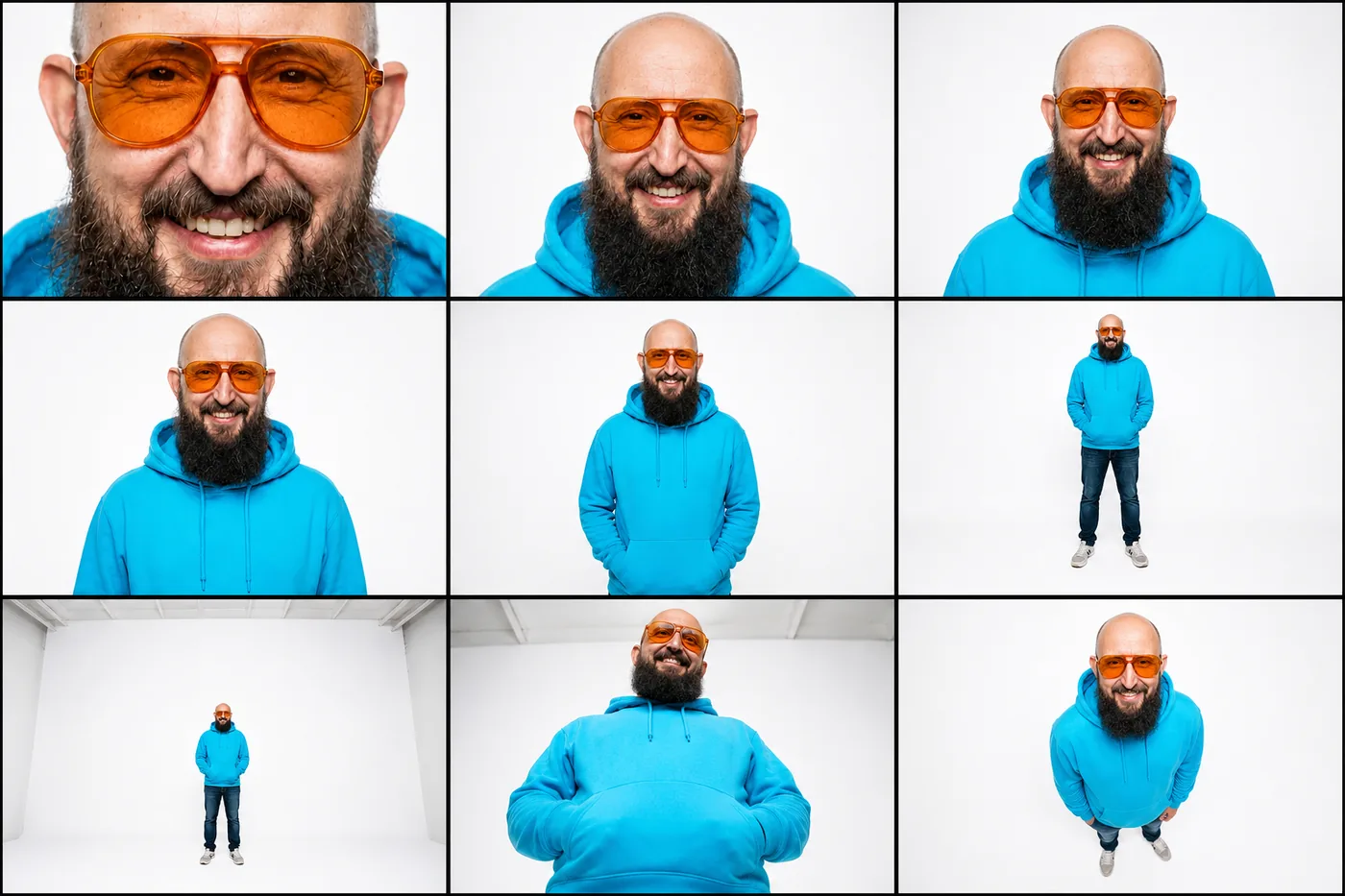
PASS · Nutzen: Storyboards, YouTube-Shootplanung, Regie und KI-Video-Prompts.
Use the uploaded image of [[PERSON IN THE REFERENCE IMAGE]] as the binding reference. Create a clean 3x3 cinematography sheet: extreme close-up, close-up, medium close-up, medium shot, medium full shot, full shot, long shot, low angle and high angle. Preserve identity, body proportions, outfit, accessories and the [[REFERENCE SETTING OR NEW SETTING]]. No text.2. Experimentelle Fotoverfahren
Hier wird es etwas wilder. Einige Begriffe beschreiben echte fotografische oder fotochemische Verfahren. Genau deshalb muss man das Ergebnis kritischer ansehen. Ästhetisch stark bedeutet nicht automatisch technisch korrekt.
7. Wärmebild: /thermography
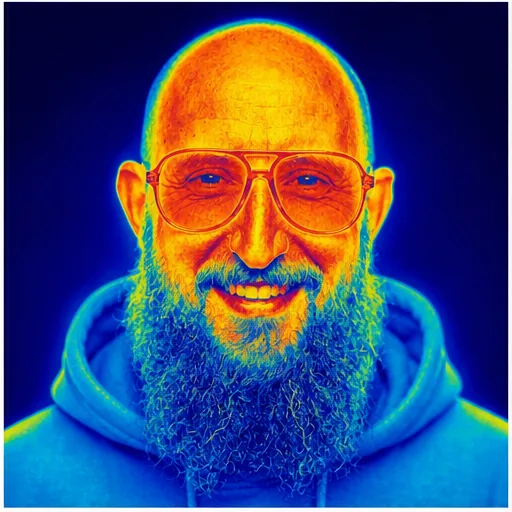
PASS · Nutzen: Science-Look, Tech-Thumbnail und visuelles Storytelling.
Use the uploaded portrait of [[PERSON IN THE REFERENCE IMAGE]] as the binding reference. Transform it into a convincing scientific thermal-camera image with a blue-to-red-to-yellow heat palette and visible temperature differences across skin, hair, accessories and clothing. Preserve identity, pose and every recognizable silhouette detail. Background: [[BACKGROUND COLOR, e.g. dark blue]].8. Sichtbare Luftströmungen: /schlieren
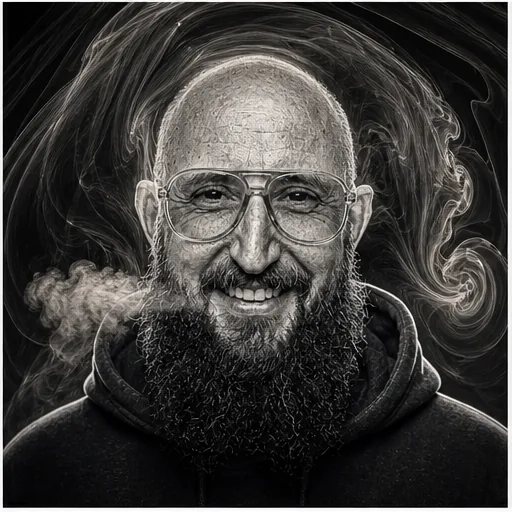
PASS · Nutzen: Physik-, Atem-, Wärme- und Soundthemen.
Use the uploaded portrait of [[PERSON IN THE REFERENCE IMAGE]] as the binding reference. Create a monochrome schlieren-photography portrait. Show fine refractive air currents curling around the face, hair, accessories and shoulders against a [[BACKGROUND COLOR, e.g. black]] background, with silver edge detail and a laboratory optical-imaging aesthetic. Preserve identity and expression.9. Flachbettscanner-Porträt: /scanography
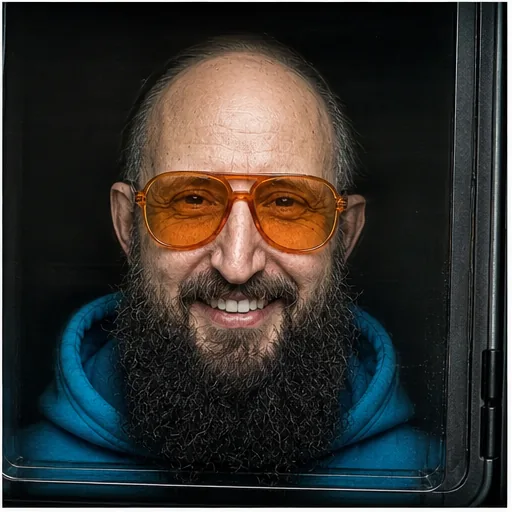
TEILWEISE · Nutzen: Albumcover, experimentelle Portraitserie und Kunstartikel.
Der Scannerkontext ist eindeutig. Die typische zeilenweise Scan-Anmutung könnte aber konsequenter sein. Das Bild versteht also die Szene besser als das eigentliche Verfahren.
Use the uploaded portrait of [[PERSON IN THE REFERENCE IMAGE]] as the binding reference. Recreate it as true flatbed scanography: face and upper clothing close to scanner glass, shallow depth, dark surrounding scanner lid, subtle dust and glass texture, hard lateral scanner light and slight contact distortion. Preserve identity, hairstyle, accessories and clothing details. Output ratio: [[ASPECT RATIO]].10. Fotogramm: /photogram
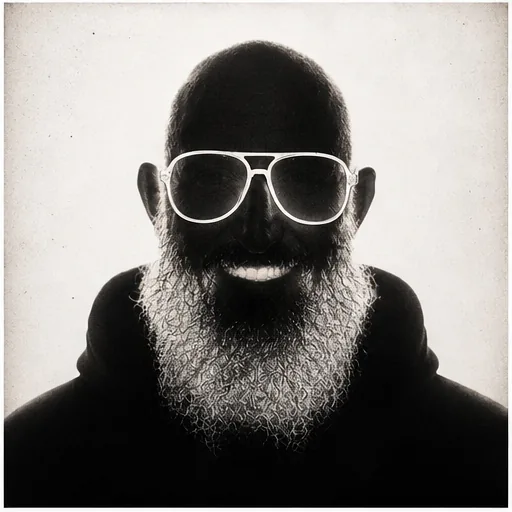
PASS · Nutzen: Poster, Retro-Art, Cover und Druckgrafik.
Use the uploaded portrait of [[PERSON IN THE REFERENCE IMAGE]] as the binding reference. Turn it into a high-contrast black-and-white darkroom photogram. Make the head shape, hairstyle, facial features, accessories and clothing silhouette readable as direct-contact shadows and translucent outlines on aged photographic paper, with dust and chemical edge marks. Output ratio: [[ASPECT RATIO]].11. Chemigramm: /chemigram
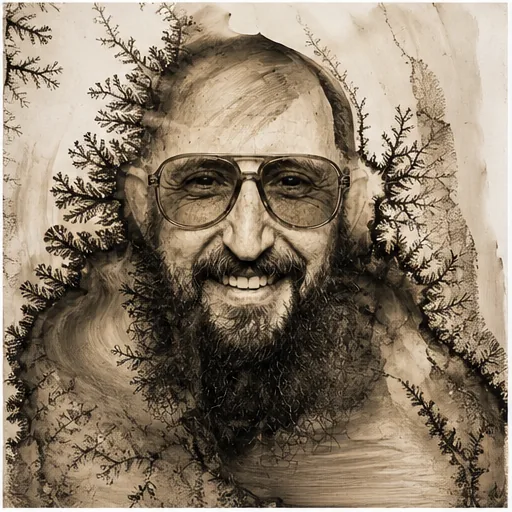
TEILWEISE · Nutzen: Fine-Art-Print, Editorial und experimentelles Branding.
Das Resultat ist stark. Es wirkt stellenweise aber eher wie Tusche oder eine Ätzzeichnung als eindeutig wie ein Chemigramm. Für Kunst super. Für eine Erklärung des echten Verfahrens nicht sauber genug.
Use the uploaded portrait of [[PERSON IN THE REFERENCE IMAGE]] as the binding reference. Create a handmade chemigram on photographic paper using developer and fixer stains, branching chemical textures, sepia-black tonal blooms and distressed paper edges. Keep the person recognizable through the actual face shape, hairstyle, facial hair, accessories and expression shown in the reference. Output ratio: [[ASPECT RATIO]].12. Slit-Scan-Verzerrung: /slitScan
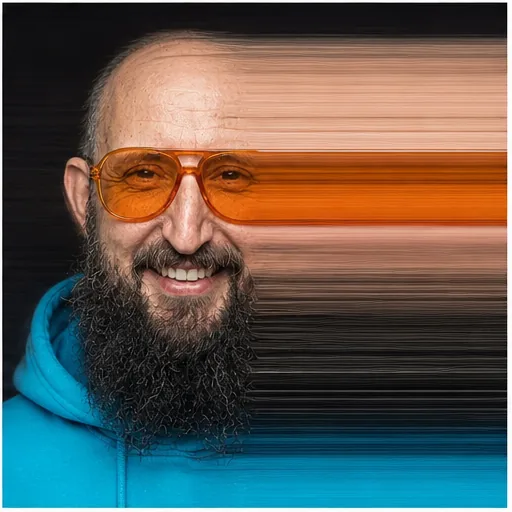
PASS · Nutzen: Musikvisual, Motion-Art und Themen rund um Zeit oder Bewegung.
Use the uploaded portrait of [[PERSON IN THE REFERENCE IMAGE]] as the binding reference. Create a horizontal slit-scan portrait: keep the left half of the face recognizable and stretch the right half into long time-sliced horizontal bands. Preserve the reference image's own identity, styling and colors against a [[BACKGROUND COLOR, e.g. black]] background.3. Porträts aus echten Materialien
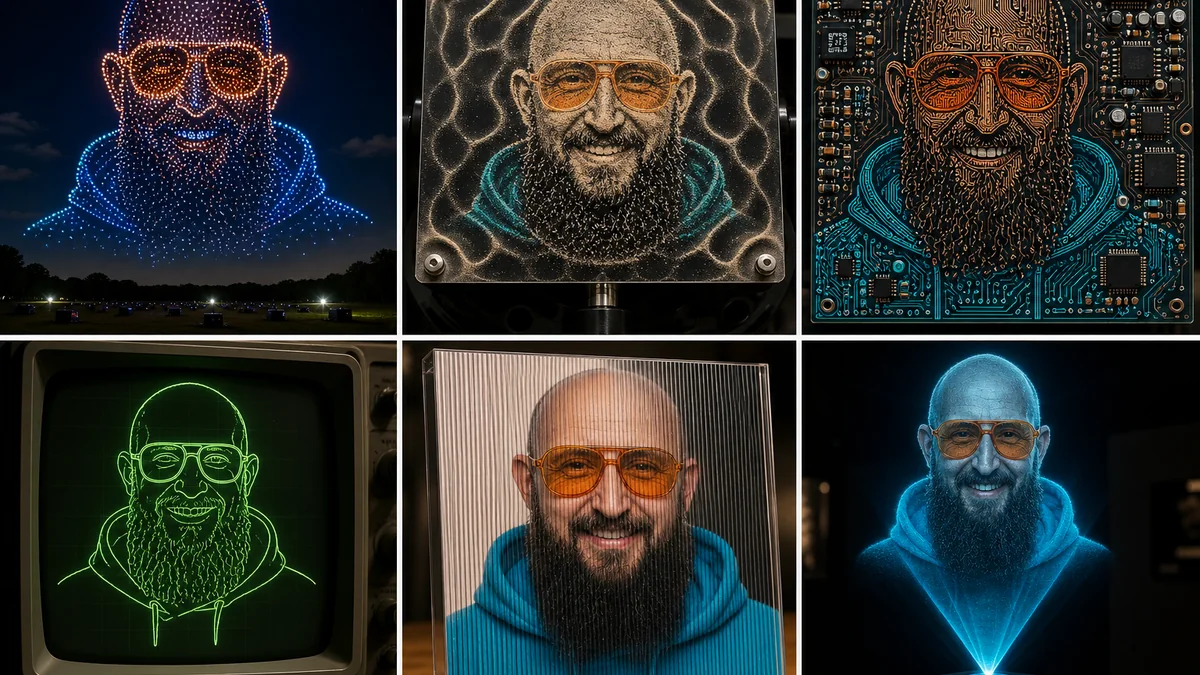
Das ist für mich die stärkste Gruppe. Faden, Draht, Pflanzen, Sand, Eis und Papier geben der KI eine klare Materiallogik. Dadurch wirken die Ergebnisse sofort verständlich und nicht bloß wie irgendein Filter.
13. Fadenbild: /stringArt
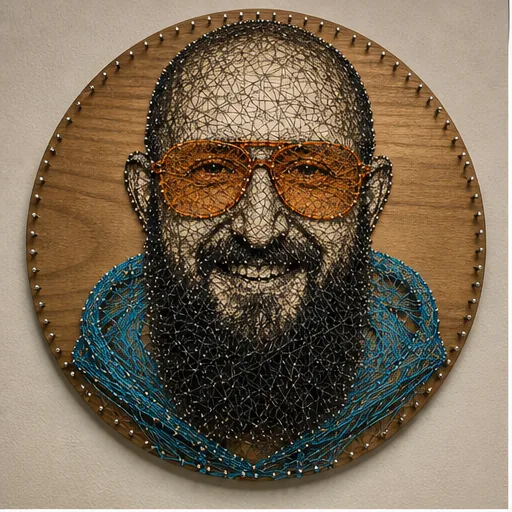
PASS · Nutzen: Maker-Content, Geschenkidee und DIY-Thumbnail.
Use the uploaded portrait of [[PERSON IN THE REFERENCE IMAGE]] as the binding reference. Rebuild it as real nail-and-thread string art on a circular wooden board. Use [[BASE THREAD COLOR]] for the main facial structure and [[ACCENT COLOR 1]] plus [[ACCENT COLOR 2]] for two distinctive features taken from the reference. Preserve the actual hairstyle, facial hair, accessories and clothing silhouette. Photograph the physical artwork.14. Drahtskulptur: /wirePortrait
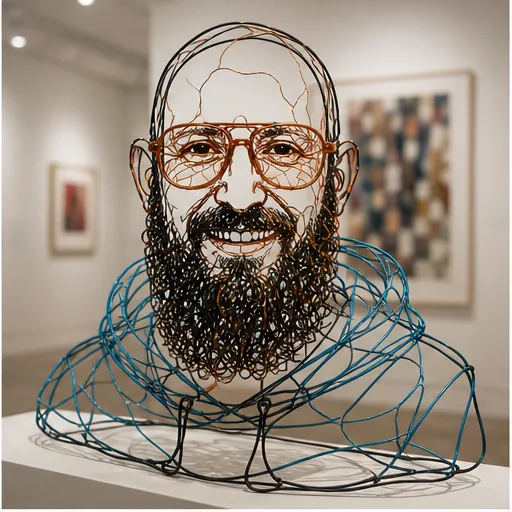
PASS · Nutzen: Ausstellungskonzept, Skulpturidee und 3D-Visualisierung.
Use the uploaded portrait of [[PERSON IN THE REFERENCE IMAGE]] as the binding reference. Transform the person into a freestanding wire sculpture in a modern gallery. Use [[BASE WIRE COLOR]], [[ACCENT COLOR 1]] and [[ACCENT COLOR 2]] to define the real head shape, hairstyle, facial features, accessories, expression and clothing silhouette. Show realistic shadows and physically plausible construction.15. Gepresste Pflanzen: /pressedFlowers
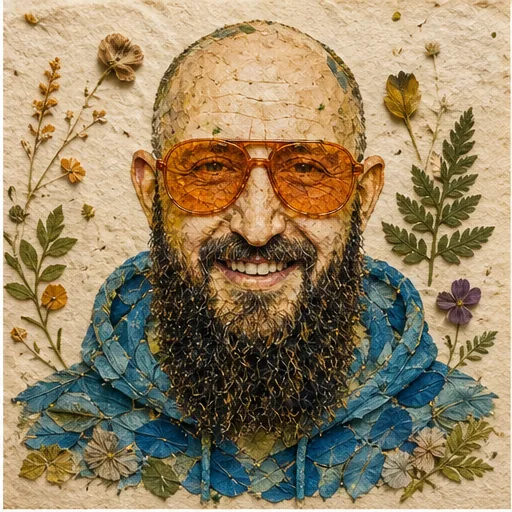
PASS · Nutzen: Geschenk, Papeterie, nachhaltiges Branding und Poster.
Use the uploaded portrait of [[PERSON IN THE REFERENCE IMAGE]] as the binding reference. Create a handmade collage of pressed flowers, leaves and petals on textured [[PAPER COLOR]] paper. Map [[ACCENT COLOR 1]] and [[ACCENT COLOR 2]] botanicals to two recognizable features from the reference, while darker plants define shadows and outlines. Preserve the actual hairstyle, accessories, expression and clothing silhouette.16. Sandskulptur: /sandSculpture
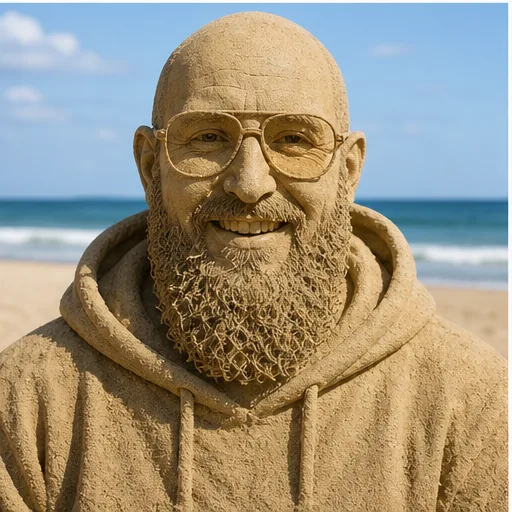
PASS · Nutzen: Sommercontent, Eventidee und virales Vorher-nachher.
Use the uploaded portrait of [[PERSON IN THE REFERENCE IMAGE]] as the binding reference. Turn the person into a highly detailed life-size wet-sand sculpture on a beach. Sculpt the actual head shape, hairstyle, facial features, accessories, expression and clothing folds entirely from sand. Use [[LIGHTING, e.g. soft daylight]] with an ocean background. Do not invent or remove identity features.17. Eisskulptur: /iceSculpture
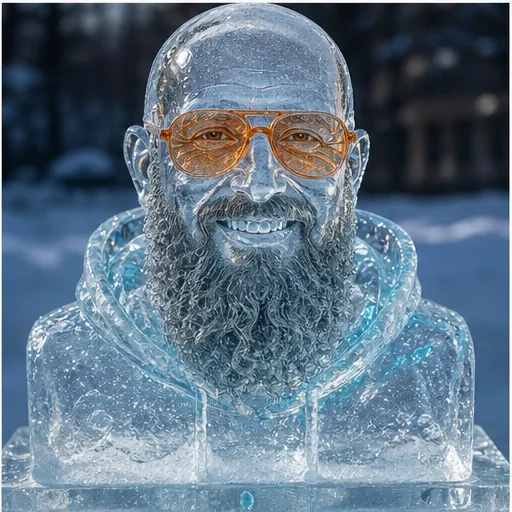
PASS · Nutzen: Winterkampagne, Eventvisualisierung und Premium-Thumbnail.
Use the uploaded portrait of [[PERSON IN THE REFERENCE IMAGE]] as the binding reference. Transform it into a transparent carved ice bust outdoors at blue hour. Preserve the actual head shape, hairstyle, facial hair, accessories, expression and clothing silhouette in clear ice with bubbles, frost and [[REFLECTION COLOR, e.g. cyan]] reflections.18. Buchschnitt-Porträt: /foreEdgePainting
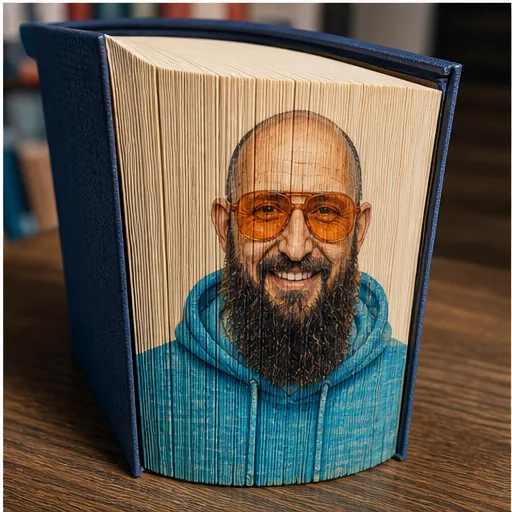
PASS · Nutzen: Buchcontent, Publishing, Kunsthandwerk und Geschenkideen.
Use the uploaded portrait of [[PERSON IN THE REFERENCE IMAGE]] as the binding reference. Show a real closed hardcover book whose fanned page edges reveal a detailed fore-edge painting of that person. Preserve identity, hairstyle, facial hair, accessories, expression, clothing and the reference colors. Place it in a [[SETTING, e.g. warm library]] with realistic paper texture.4. Maker-, Tech- und Wow-Motive
Diese sechs Motive sind natürlich nicht automatisch baubar. Als Visualisierung für ein Projekt, einen Pitch oder ein Thumbnail funktionieren sie aber richtig gut.
19. Drohnen-Lichtbild: /droneLightShow
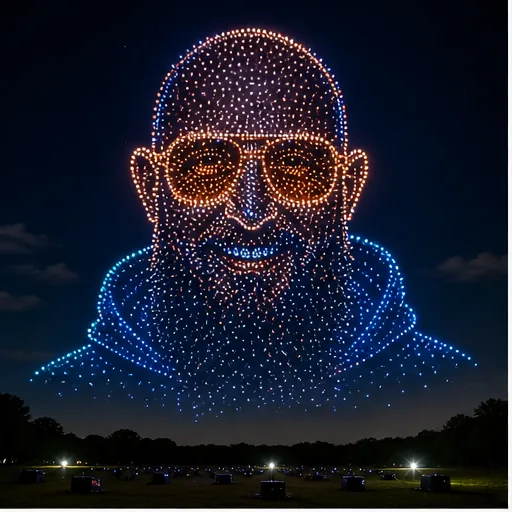
PASS · Nutzen: Eventpitch, Festival, Markenstunt und spektakuläres Thumbnail.
Use the uploaded portrait of [[PERSON IN THE REFERENCE IMAGE]] as the binding reference. Create a night photograph of a large outdoor drone light show forming that person's portrait in the sky. Thousands of [[LIGHT COLOR 1]], [[LIGHT COLOR 2]] and white light points must define the actual head shape, hairstyle, facial features, accessories, expression and clothing silhouette. No text or logos.20. Klangmuster-Porträt: /cymatics
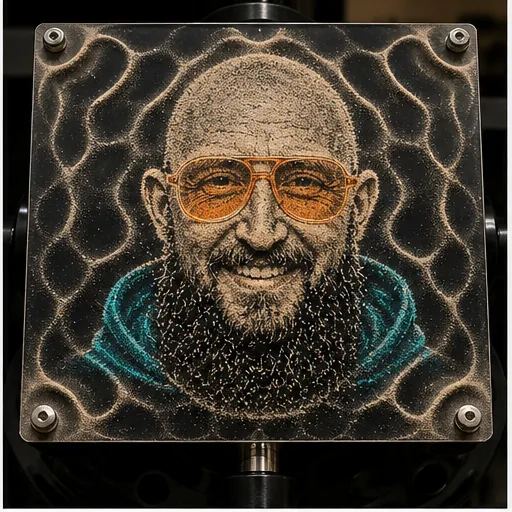
PASS · Nutzen: Musik, Akustik, Wissenschaft und visuelle Experimente.
Use the uploaded portrait of [[PERSON IN THE REFERENCE IMAGE]] as the binding reference. Create a real cymatics or Chladni-plate experiment in which fine sand on a vibrating [[PLATE COLOR]] plate forms the person's recognizable face, hairstyle, accessories and clothing silhouette, surrounded by standing-wave geometry. Preserve the reference's distinctive shapes without adding new features. Laboratory macro photograph.21. Leiterplatten-Porträt: /pcbPortrait
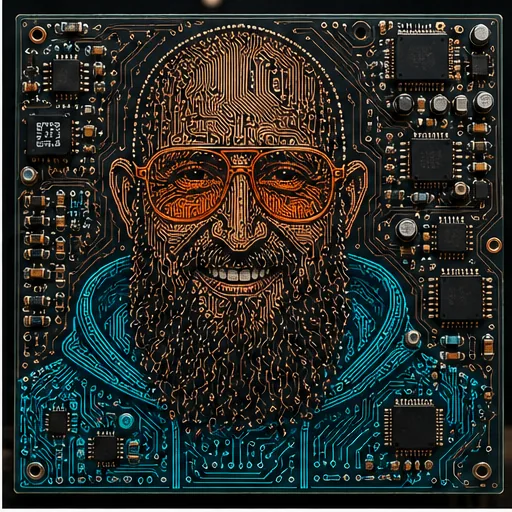
PASS · Nutzen: Elektronik-Branding, PCB-Art und Tech-Cover.
Use the uploaded portrait of [[PERSON IN THE REFERENCE IMAGE]] as the binding reference. Design a functioning [[PCB COLOR]] printed circuit board whose traces, vias and components form the recognizable face, hairstyle, accessories and clothing silhouette. Use [[TRACE COLOR 1]] and [[TRACE COLOR 2]] to distinguish two real features from the reference. Top-down product photograph, no text or logo.22. Oszilloskop-Linienbild: /oscilloscope
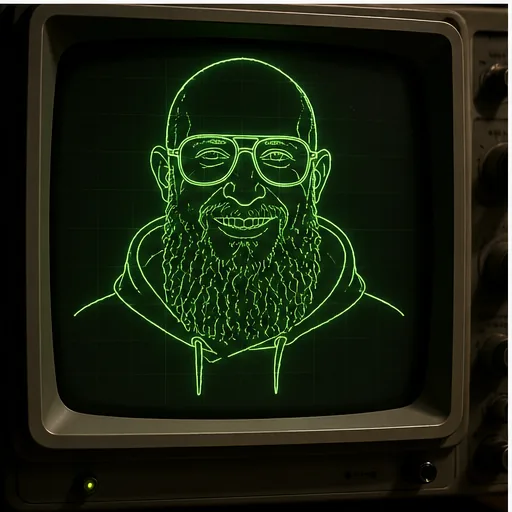
PASS · Nutzen: Retro-Tech, Audio, Synthesizer und Maker-Channel.
Use the uploaded portrait of [[PERSON IN THE REFERENCE IMAGE]] as the binding reference. Display it as a continuous [[PHOSPHOR COLOR, e.g. green]] vector trace on a vintage analog oscilloscope CRT. Clearly draw the actual head shape, hairstyle, facial features, accessories, expression and clothing silhouette in glowing lines. Dark workshop setting, no text.23. Lentikulardruck: /lenticular
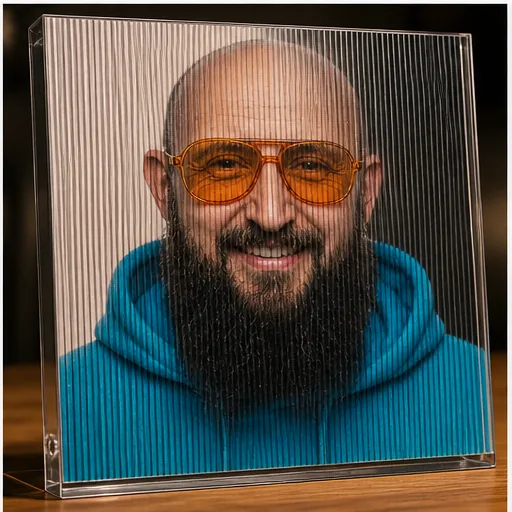
PASS · Nutzen: Printprodukt, Messe-Giveaway und interaktive Kunst.
Das statische Bild kann den echten Wechsel zwischen zwei Blickwinkeln natürlich nur andeuten. Die physische Oberfläche und das Prinzip sind trotzdem klar lesbar.
Use the uploaded portrait of [[PERSON IN THE REFERENCE IMAGE]] as the binding reference. Photograph a physical lenticular print in a clear acrylic frame. Visible vertical ridges combine [[EXPRESSION 1]] and [[EXPRESSION 2]] while preserving identity, hairstyle, facial hair, accessories, clothing and original colors. Oblique light must prove the real lenticular surface.24. Hologramm-Büste: /hologram
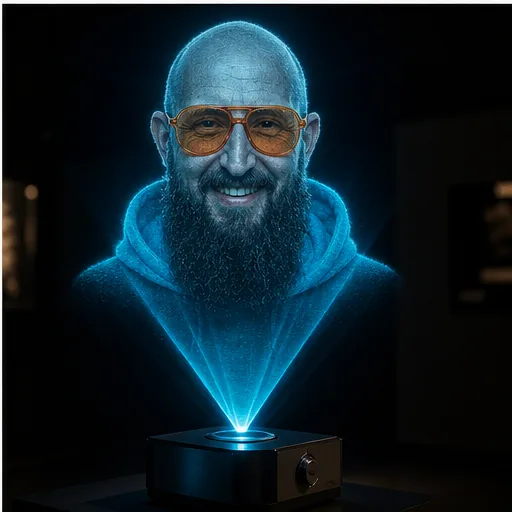
PASS · Nutzen: Zukunftsvisual, Tech-Keynote und Themen rund um KI, AR oder VR.
Use the uploaded portrait of [[PERSON IN THE REFERENCE IMAGE]] as the binding reference. Create a realistic tabletop volumetric hologram projector displaying a [[HOLOGRAM COLOR, e.g. cyan-blue]] bust of the person. Preserve the actual head shape, hairstyle, facial hair, accessories, expression and clothing silhouette as luminous scan lines in a dark room.5. Raw Camera Looks und Creator-Szenen
Ein perfektes Studiofoto sieht schnell nach Werbung aus. Diese Gruppe macht genau das Gegenteil. Verwacklung, Direktblitz, alter Digicam-Look und eine normale Umgebung lassen das Porträt glaubwürdiger und spontaner wirken.
25. Verwackeltes Nachtfoto: /rawPhoneNight
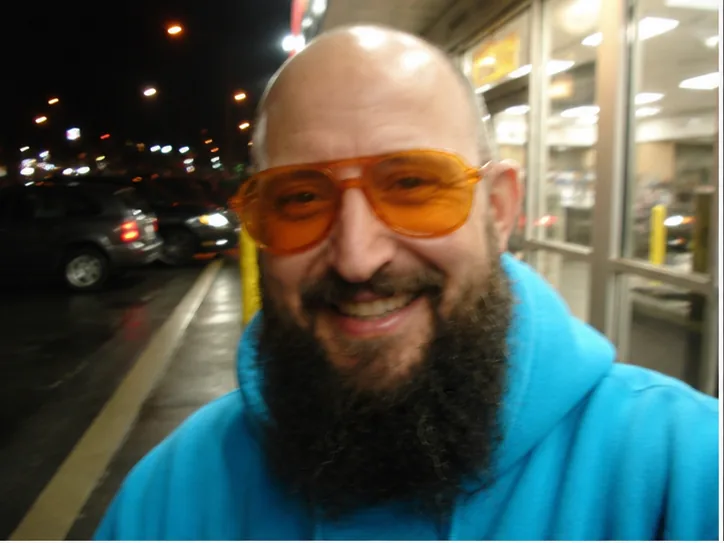
PASS · Nutzen: Authentischer Social-Post, Street-Look und Musikvisual.
Use the uploaded image of [[PERSON IN THE REFERENCE IMAGE]] as the binding reference. Make it look like a raw handheld phone snapshot outside [[NIGHT LOCATION, e.g. a convenience store]]: slight motion blur, imperfect focus, mixed neon and fluorescent light, wet pavement and casual framing. Preserve identity, body proportions, clothing, accessories and original colors.26. Direktblitz-Schnappschuss: /pointAndShoot
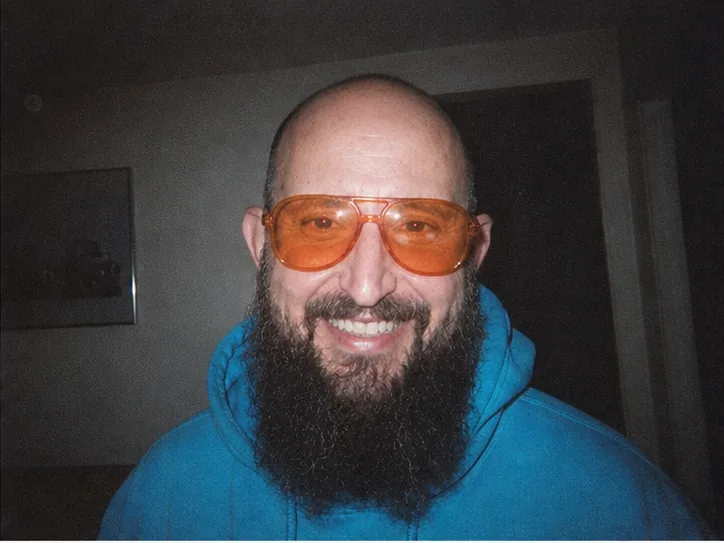
PASS · Nutzen: Partylook, Retro-Cover und Social-Media-Story.
Use the uploaded portrait of [[PERSON IN THE REFERENCE IMAGE]] as the binding reference. Recreate it as a late-1990s point-and-shoot film snapshot in [[INDOOR LOCATION]]: harsh direct flash, dark background, visible grain, slight red-eye, casual off-center crop and date-free lab-print aesthetic. Preserve identity, styling and clothing.27. Frühe Digitalkamera: /digicam2003
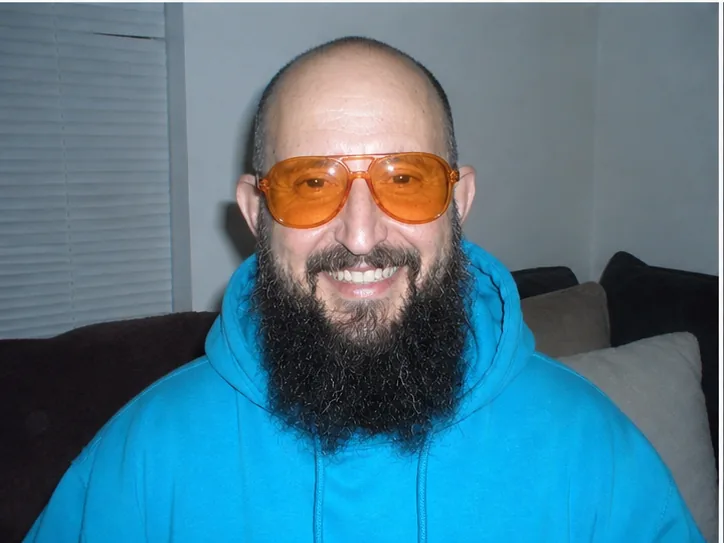
PASS · Nutzen: Y2K-Look, Meme, Nostalgie und Musikvisual.
Use the uploaded image of [[PERSON IN THE REFERENCE IMAGE]] as the binding reference. Turn it into an early-2000s compact digital-camera photo: cool white balance, blown flash highlights, mild JPEG artifacts, deep depth of field, [[EVERYDAY INDOOR BACKGROUND]] and unpolished consumer-camera realism. Preserve identity, styling and clothing.28. Soft-Mist-Porträt: /softMist
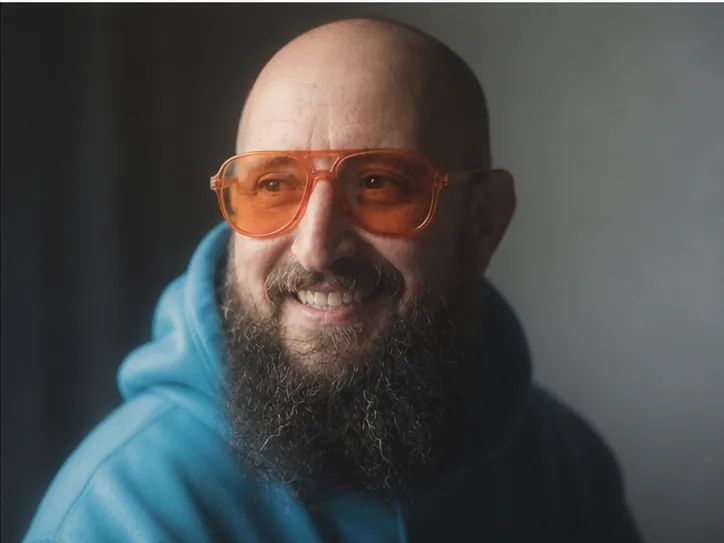
PASS · Nutzen: Profilbild, Artist-Porträt und Editorial.
Use the uploaded portrait of [[PERSON IN THE REFERENCE IMAGE]] as the binding reference. Create a cinematic portrait with a strong black-pro-mist diffusion filter: glowing highlights, soft halation around the brightest existing details, low-contrast shadows, shallow depth of field and [[LIGHT DIRECTION, e.g. gentle window light]]. Preserve identity, hairstyle, accessories, clothing and original colors.29. Nachtportrait mit Blitz: /directFlash
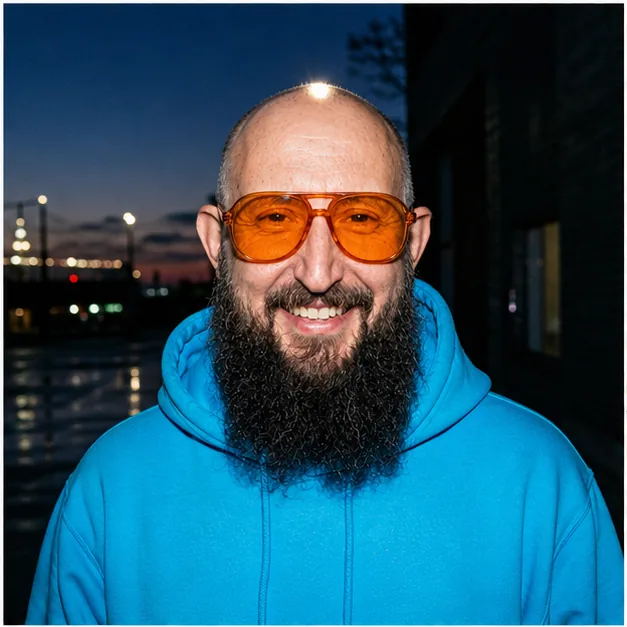
PASS · Nutzen: Eventreportage, Streetstyle, Thumbnail und Pressebild.
Use the uploaded image of [[PERSON IN THE REFERENCE IMAGE]] as the binding reference. Photograph the person outdoors at blue hour with strong on-camera direct flash. Keep the subject bright and crisp against a [[BACKGROUND, e.g. dark city]], with specular highlights on existing reflective details, candid documentary energy and no studio polish. Preserve identity and styling.30. 360-Grad-Werkstatt: /equirectangular360
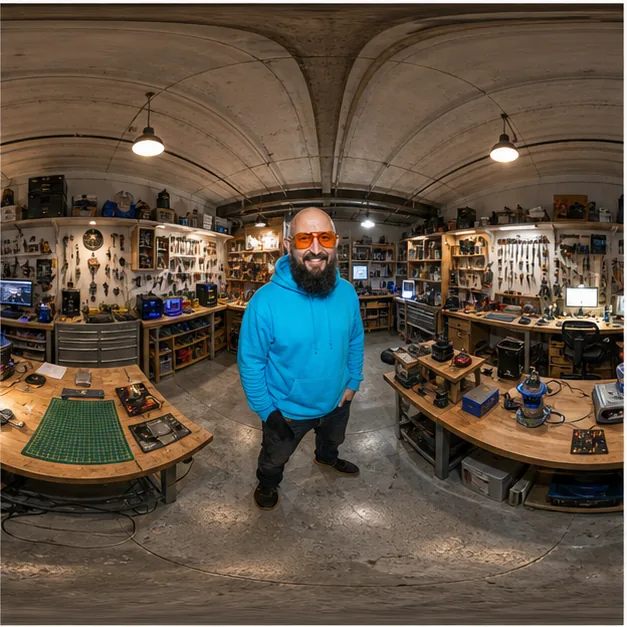
TEILWEISE · Nutzen: Virtuelle Tour, Raumplanung und VR-Präsentation.
Die typische Verzerrung ist klar. Der Einzeltest wurde aber aus einer Vergleichstafel geschnitten und ist dadurch quadratisch statt im geforderten 2:1-Format. Für eine echte 360-Grad-Ausgabe müsste ich das Bild separat neu rendern.
Use the uploaded image of [[PERSON IN THE REFERENCE IMAGE]] as the binding reference. Place the person inside a fully detailed [[360-DEGREE ENVIRONMENT, e.g. maker workshop]] and render a true 2:1 equirectangular panorama with ceiling and floor distortion, seamless left and right edges and the subject standing near the center. Preserve identity, body proportions and clothing.31. Suchbild in der Menge: /crowdSearch
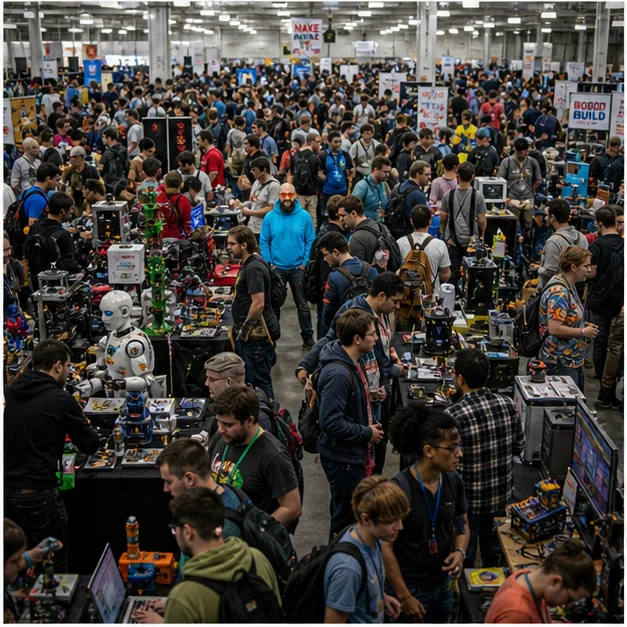
PASS · Nutzen: Community-Post, Gewinnspiel, Engagement-Visual und Messeartikel.
Use the uploaded image of [[PERSON IN THE REFERENCE IMAGE]] as the binding reference. Create a dense overhead photo of [[CROWDED EVENT, e.g. a maker convention]] with hundreds of people and booths. Hide the referenced person clearly but not centrally like a classic visual-search puzzle. Preserve their actual hairstyle, facial hair, accessories, clothing and colors so they remain findable without inventing new traits.32. Creator-Livestream: /creatorLivestream
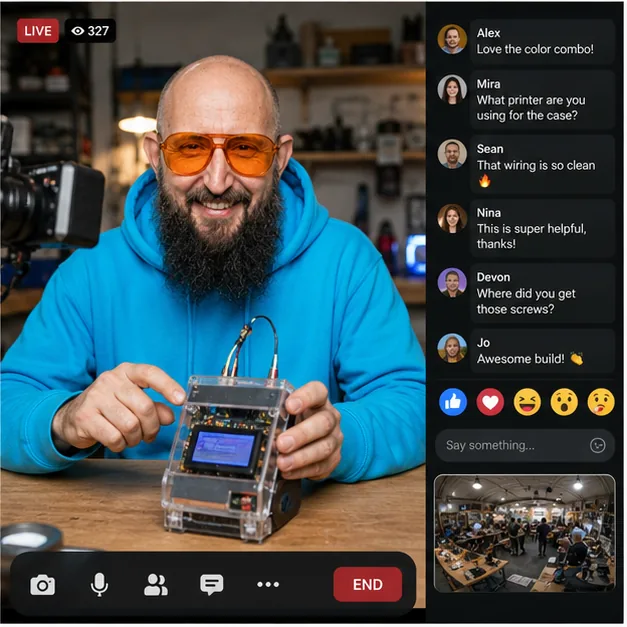
PASS · Nutzen: Stream-Konzept, Kurswerbung und Social-Mockup.
Use the uploaded image of [[PERSON IN THE REFERENCE IMAGE]] as the binding reference. Create a realistic vertical creator-livestream interface showing the person at [[WORKSPACE OR LOCATION]] presenting [[PROJECT OR OBJECT]]. Preserve identity, styling and clothing. Include camera view, readable live comments, viewer count and reaction controls without real platform branding.6. Produktbilder und Interface-Ideen
Für diese vier Tests habe ich das Porträt bewusst beiseitegelegt. Eine Kamera zeigt viel besser, ob das Modell Geometrie, Material, Produktwinkel, UI und technische Bauteile halbwegs konsistent halten kann.
33. Sechs Produktansichten: /productAngleGrid
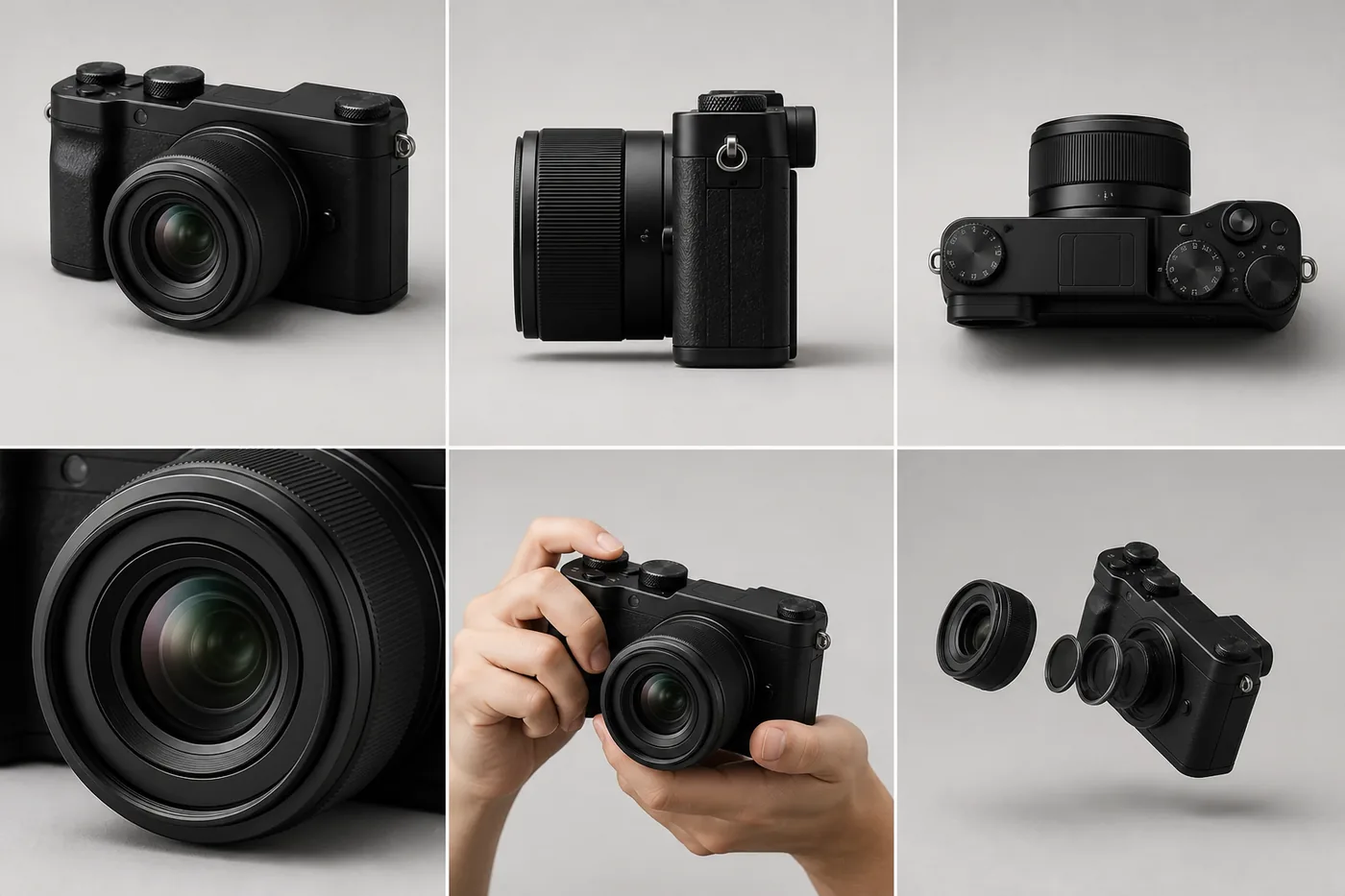
PASS · Nutzen: Shop, Kleinanzeigen, Produktdokumentation und Designprüfung.
Use the uploaded image of [[PRODUCT OR OBJECT]] as the binding reference. Create a clean 2x3 product-photography grid: three-quarter front, side, top, [[DETAIL CLOSE-UP]], [[SCALE CONTEXT]] and a carefully separated exploded view. Preserve the exact geometry, materials, surface finish, colors and every visible mark from the reference. Do not invent branding or components.34. Shopseite: /productDetailPage
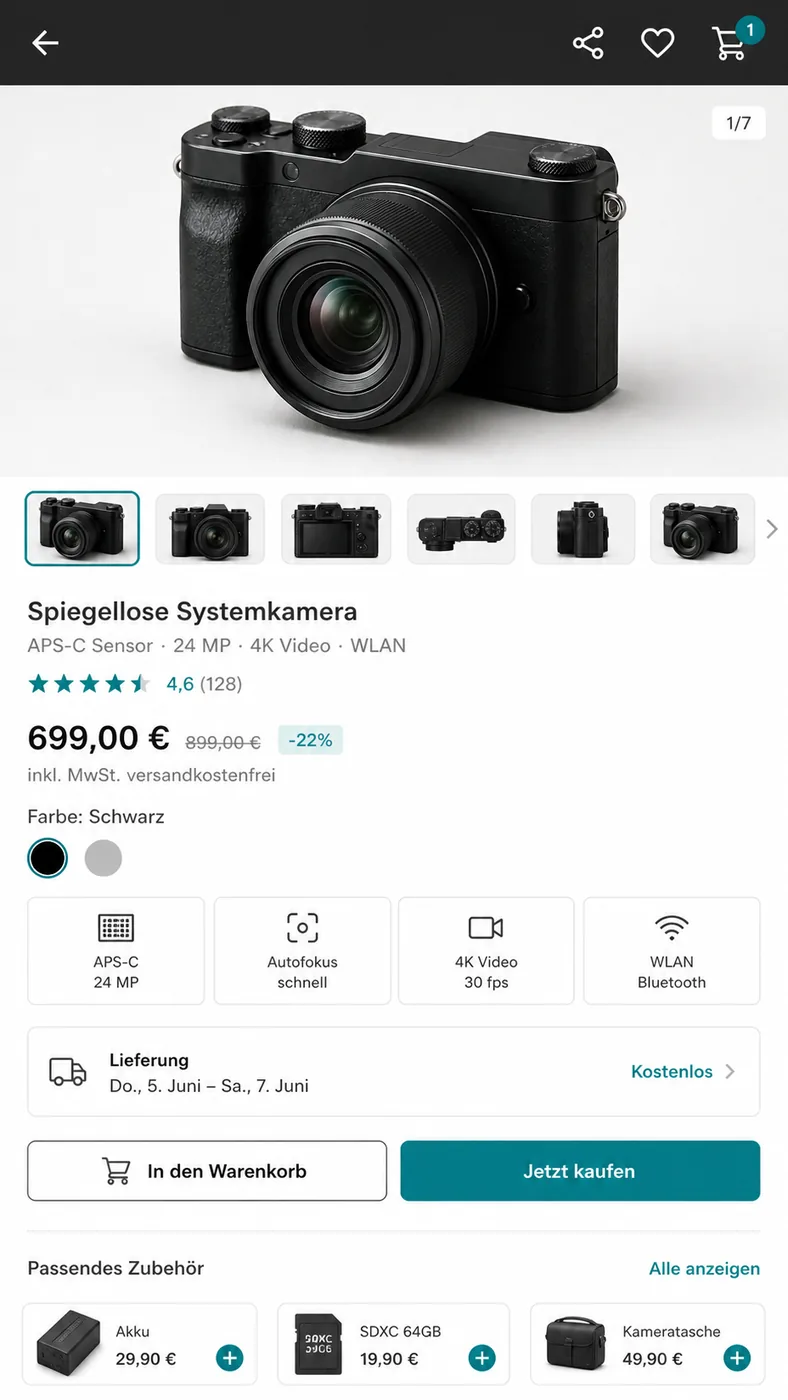
PASS · Nutzen: UI-Mockup, Shopkonzept, Conversion-Test und Produktpitch.
Die Oberfläche sieht erstaunlich glaubwürdig aus. Preise, technische Daten, Bewertungen und Liefertermine sind aber erfunden. Für ein Mockup okay. Für einen echten Shop müssten sämtliche Angaben aus echten Produktdaten kommen.
Use the uploaded image of [[PRODUCT OR OBJECT]] as the binding reference. Design a polished [[LANGUAGE]] mobile e-commerce product-detail page for it. Include an image gallery, [[PRODUCT TITLE]], rating, [[PRICE]], feature cards, delivery, accessories and purchase buttons. Preserve the product's exact geometry, materials, colors and visible branding status. Use a clean [[UI ACCENT COLOR]] interface without inventing specifications.35. Technische Zerlegung: /museumBreakdown
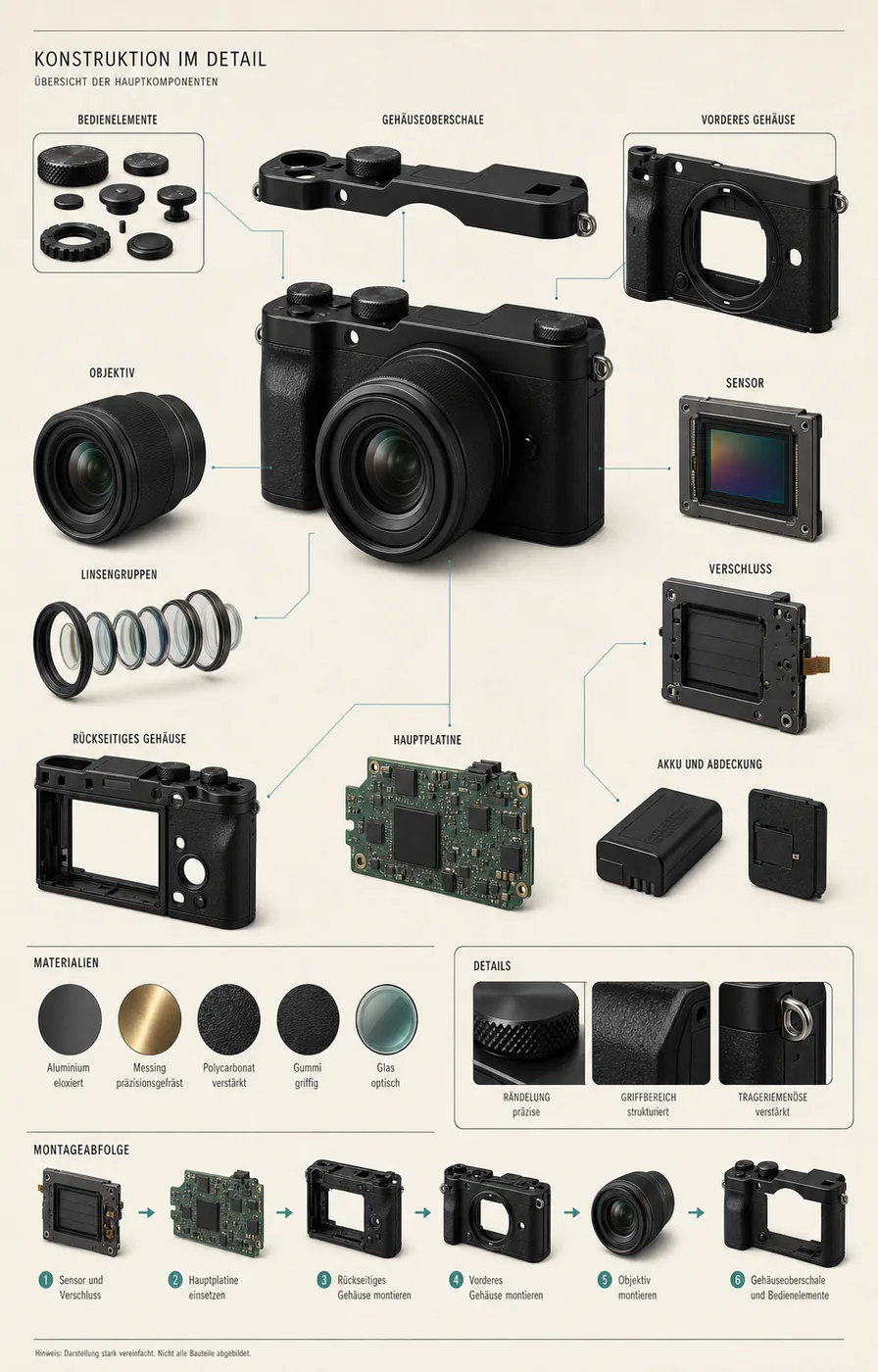
PASS · Nutzen: Erklärgrafik, Repair-Artikel, Teardown und Produktentwicklung.
Visuell ist das richtig stark. Technisch darf man die Grafik trotzdem nicht mit einer echten Explosionszeichnung verwechseln. Die KI kennt die exakten inneren Bauteile dieser erfundenen Kamera nicht.
Use the uploaded image of [[PRODUCT OR OBJECT]] as the binding reference. Create a [[LANGUAGE]] museum-style technical breakdown poster. Show the complete object plus [[KNOWN INTERNAL COMPONENTS]], housings, controls, material samples and a plausible assembly sequence. Preserve the exact exterior geometry, materials, colors and branding status. Do not invent unsupported technical labels; mark uncertain internals as conceptual.36. Premium-Werbemotiv: /premiumProductAd
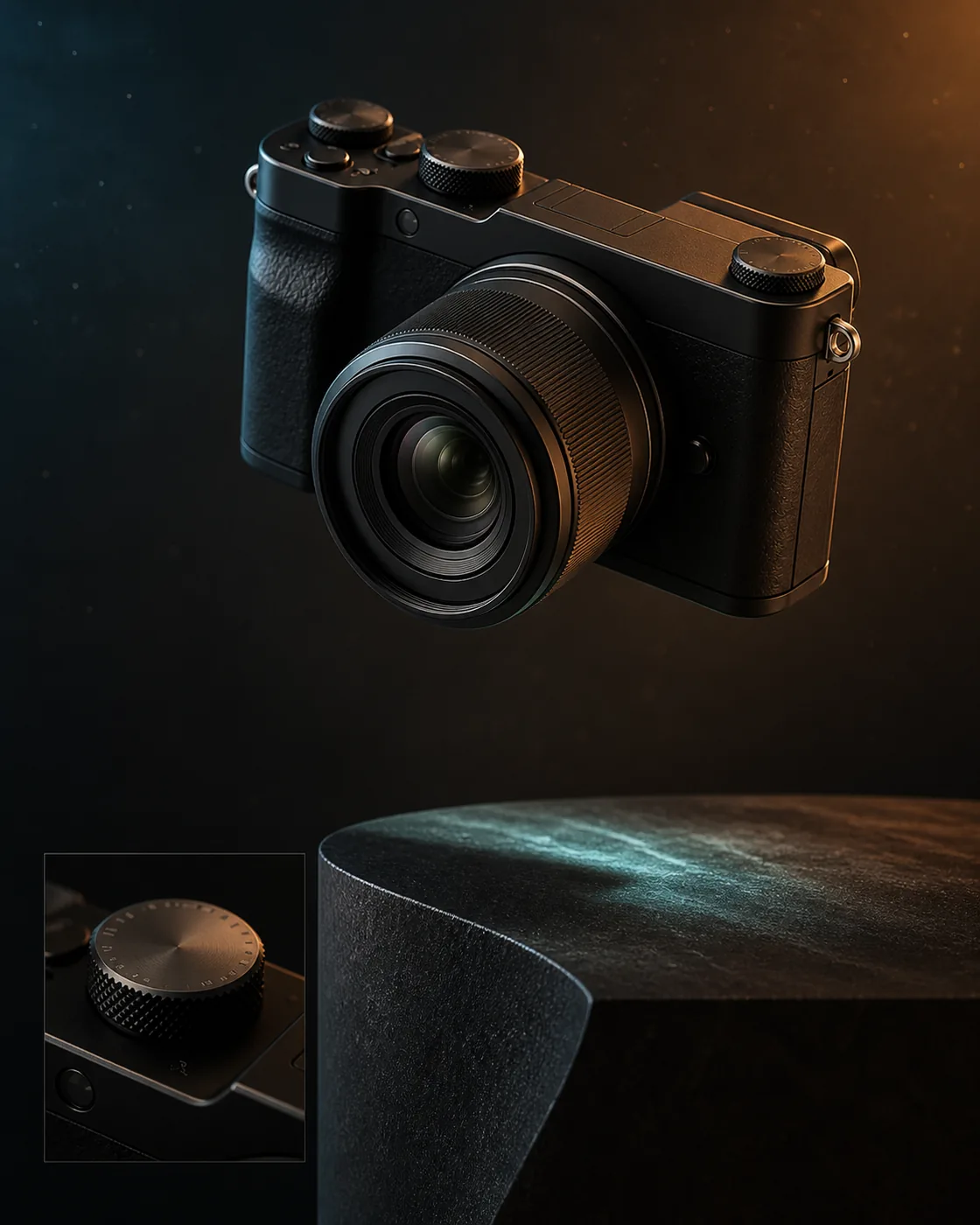
PASS · Nutzen: Kampagne, Hero-Bild, Launch-Visual und Produktthumbnail.
Use the uploaded image of [[PRODUCT OR OBJECT]] as the binding reference. Create a premium cinematic advertising image with the object floating above a [[PEDESTAL MATERIAL]] pedestal. Use [[EDGE-LIGHT COLOR]], [[RIM-LIGHT COLOR]], subtle particles and a macro inset of [[DETAIL TO HIGHLIGHT]]. Preserve exact geometry, materials, colors and visible branding status. Add no new logo, slogan or product feature.Was in dieser Runde am besten funktioniert
Klare Materialien schlagen vage Stile. Faden, Draht, Eis, Sand, Pflanzen, Leiterplatten und Drohnenlicht geben dem Modell sofort eine sichtbare Logik.
Raster funktionieren ebenfalls stark. Lichtvarianten, Mundformen, Einstellungsgrößen und Produktwinkel lassen sich direkt vergleichen. Genau dafür ist ein einziges Ausgangsbild ziemlich geil: Jede Änderung springt sofort ins Auge.
Schwieriger bleiben Fachverfahren. Scanographie, Chemigramm, Brennweitenwirkung und echte 360-Grad-Ausgabe sehen auf den ersten Blick plausibel aus, halten einer technischen Prüfung aber nur teilweise stand.
Mein Take
Ein guter Bildprompt muss nicht ewig lang sein. Er muss nur die Teile benennen, bei denen Zufall nervt: Referenz, Motiv, Medium, Komposition, Licht, Farbe, Format und Dinge, die erhalten bleiben sollen.
Die Slash-Namen helfen mir beim Merken. Der vollständige Prompt erzeugt das brauchbare Ergebnis. Diese Trennung behalte ich für die nächsten Tests bei.
Alle 147 Prompts in der Library öffnen · Das Part-3-PDF herunterladen · 24 präzise Creative Briefs vergleichen · Zurück zu Part 2